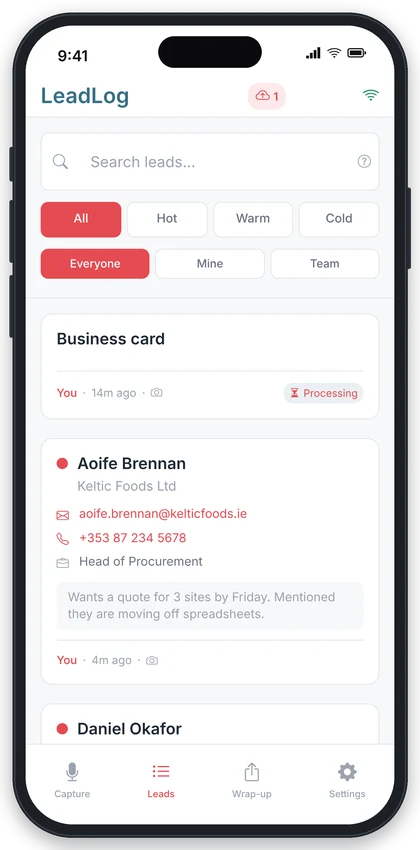
Exhibition halls, basements, conference centres with ten thousand phones fighting over one cell. LeadLog doesn't care. Install it on your phone, capture by voice, card or typing with no signal at all, and everything uploads itself the moment you're back online.
You keep working. LeadLog catches up when it can.
Add LeadLog to your home screen before the show, while you still have signal. This is the one thing that matters. An installed app keeps working and keeps your captures safe; a browser tab can't promise that.
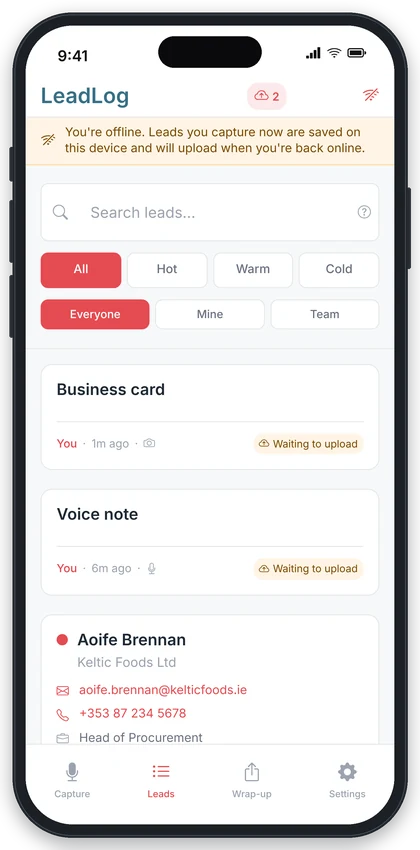
No signal? Tap Voice, Card or Manual Entry exactly as you would with full bars. The lead appears in your list straight away, marked Waiting to upload, and the photo or recording is kept safely on the phone.
The moment you're back online, LeadLog uploads everything in the background. A small cloud icon in the header counts down as they go. You don't have to press anything.
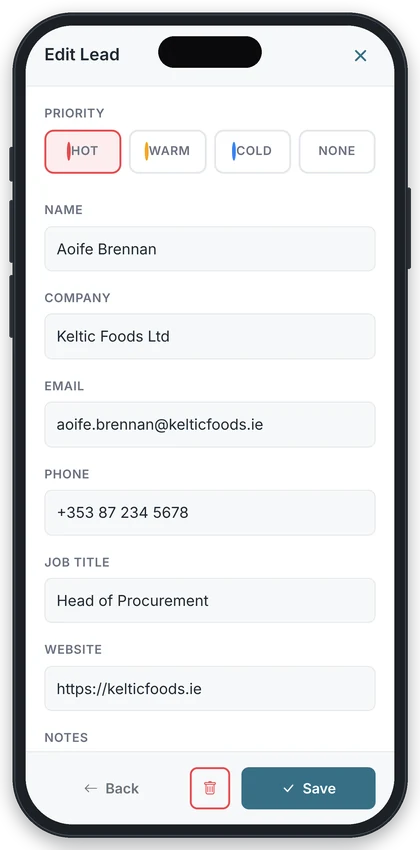
Once a card or recording has uploaded, the AI reads it and the name, company and contact details fill in on their own.
Offline, then back online a few minutes later
Because trade show Wi-Fi is never as good as the organisers promise
Offline capture is built for the installed app. It takes twenty seconds from the Settings screen, and it's the difference between a reliable day on the stand and hoping your browser behaves. See how to install.
You don't press sync. When the signal comes back, or you step outside for a coffee, the queue clears on its own.
Every capture stays on your phone until it has uploaded. If an upload fails, LeadLog keeps retrying quietly in the background, and the full lead list is always there to search and edit.
A cloud icon in the header shows how many captures are still to upload. It turns red if one has failed, and a tap retries it.
Plain English, no jargon. This is what your phone is doing.
When you install LeadLog, your phone keeps a copy of the app itself, so it opens with no signal at all. A browser tab keeps a copy too, but the phone can throw that away whenever it likes, which is why we keep saying install it.
Every lead you capture is written to your phone first and to our servers second. That's why it appears in your list instantly, online or not.
Card photos and voice recordings are the only things that need a connection. They queue on the phone and upload one by one when you reconnect.
Reading a card or transcribing a recording happens on our servers, so those details appear a few seconds after the upload, not before.
Not optional if you want offline to be reliable. Safari in particular can clear a website's stored data, including captures waiting to upload. An installed app is protected.
Open LeadLog on the morning of the event while you still have signal, so the latest version is on your phone.
A quick glance at the header tells you if anything is still waiting. Step outside for a minute and it'll clear.
Manual entry needs no upload at all. A name and company typed in offline is complete the moment you save it.
The questions people ask before a show
Yes, and it works best by a long way when you've installed it on your phone. Once installed, LeadLog opens without a signal and you can capture new leads by voice, card photo or typing, and view and edit the leads you already have. Anything that needs the internet, such as the AI reading a card, happens automatically when you're back online. It will usually work in a browser tab too, but the phone can clear a browser's stored data without warning, so we don't recommend relying on that at a show.
It's saved on your phone and the lead appears in your list marked Waiting to upload. When you get a signal again, the photo uploads itself, the AI reads it and the contact details fill in. You don't need to do anything.
No. LeadLog never drops a capture. Each one stays queued on your phone until it has uploaded successfully. If an upload fails, it keeps retrying in the background, and the cloud icon in the header shows how many are still waiting.
Yes, if you want to rely on it. The app will often work offline from a browser tab, but iPhone and Android can both clear a website's stored data when they feel like it, and on iPhone that can include captures still waiting to upload. Installing LeadLog to your home screen takes twenty seconds, protects your captures, and loads faster. Do it before the show.
Yes. Your lead list is kept on the device, so you can search, open, edit and set priorities with no signal. Any changes sync when you reconnect.
Yes, if you were already a member of a team when you captured it. The lead is saved to the team and your colleagues see it as soon as your phone reconnects.
Start with 5 free leads. No credit card required.
Already have an account? Launch App